> ## Documentation Index
> Fetch the complete documentation index at: https://docs.bitrace.io/llms.txt
> Use this file to discover all available pages before exploring further.
# 开发者API
> Description of your new file.
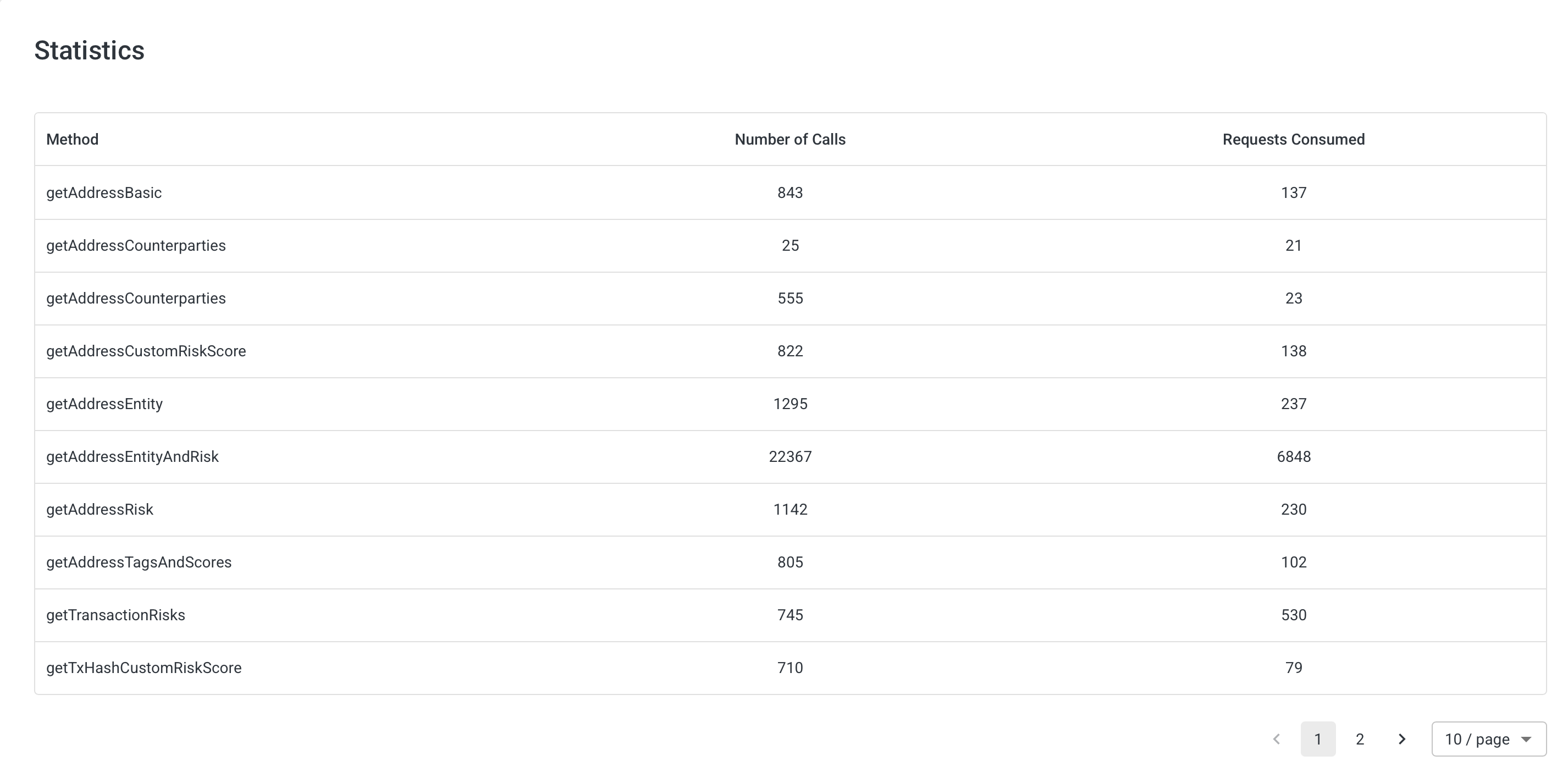
## 统计
展示账号/企业账号的 API 调用统计。
 ## 记录
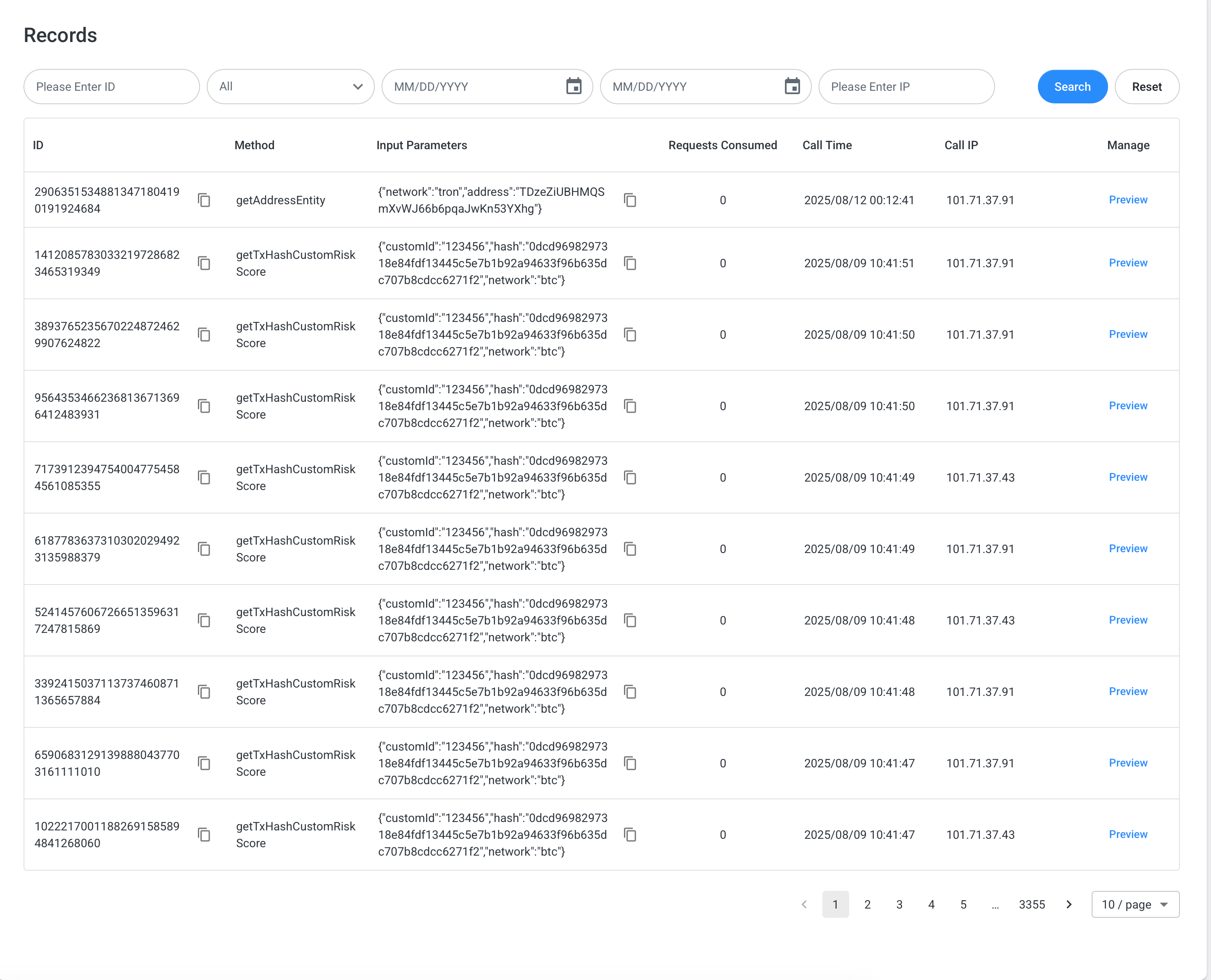
调用记录明细。
## 记录
调用记录明细。
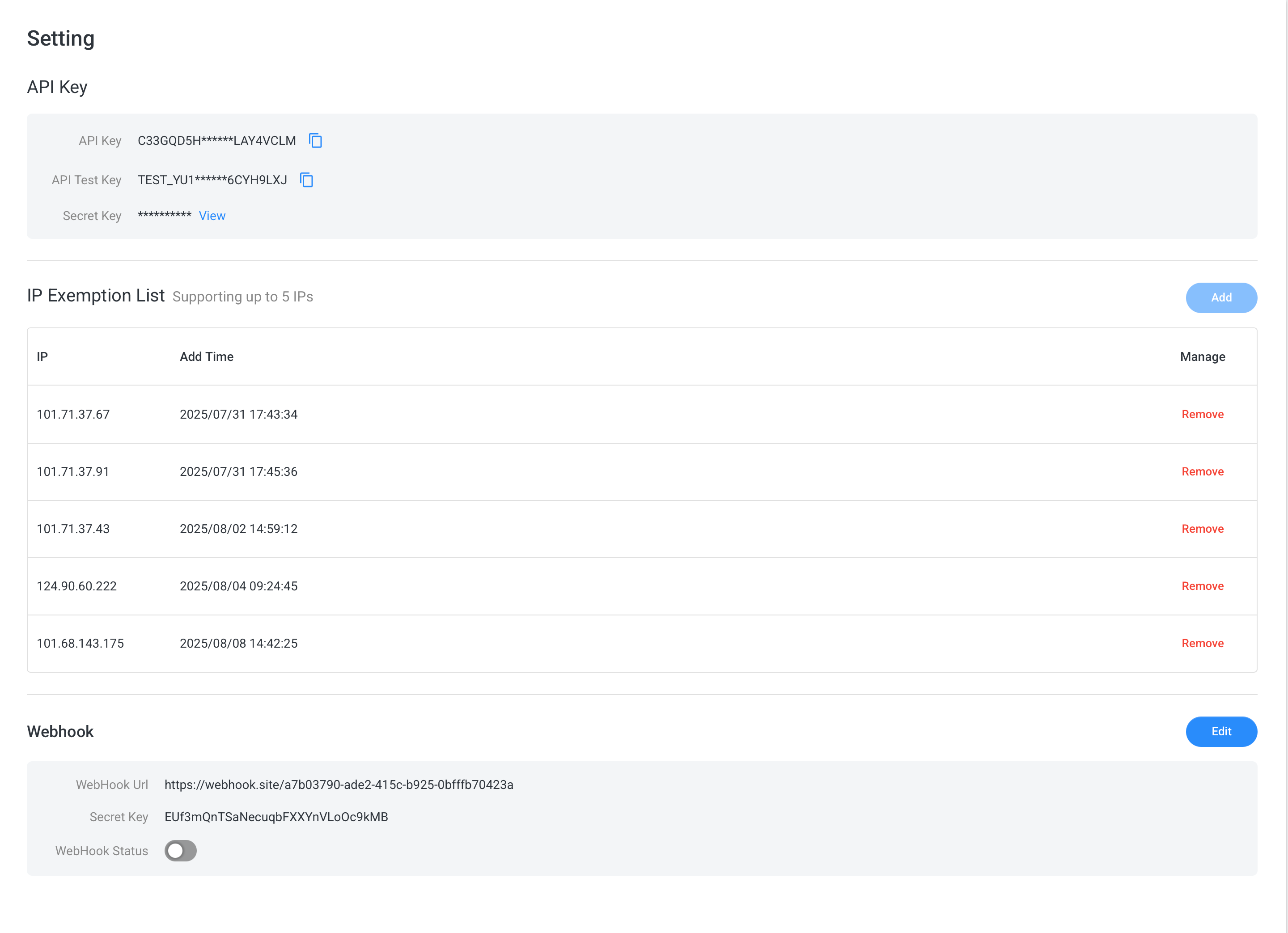
 ## 设置
开发者通过设置页面进行 API 创建和白名单(支持 5 条,如全球部署需要更多白名单可申请支持)维护。异步接口提供 hook 通知,开发者根据实际情况使用。
在生产环境开通测试账号时会提供一定查询额度,开发者可使用 API Key 进行查询,此时返回的是真实数据。
也提供测试环境模拟测试数据用例(开发者如需测试环境实时联通的情况下,可使用 Test Key 进行对接并与对接支持申请测试数据用例)。
## 设置
开发者通过设置页面进行 API 创建和白名单(支持 5 条,如全球部署需要更多白名单可申请支持)维护。异步接口提供 hook 通知,开发者根据实际情况使用。
在生产环境开通测试账号时会提供一定查询额度,开发者可使用 API Key 进行查询,此时返回的是真实数据。
也提供测试环境模拟测试数据用例(开发者如需测试环境实时联通的情况下,可使用 Test Key 进行对接并与对接支持申请测试数据用例)。